
Grand Theft Auto: San Andreas
Rockstar GamesAction
4.576.75K Reviews
- Version
- 2.11.311
- Installs
- 5.00M
- Age Rating
- Mature 17+
Screenshots
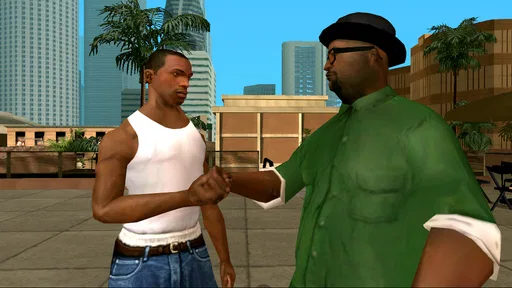

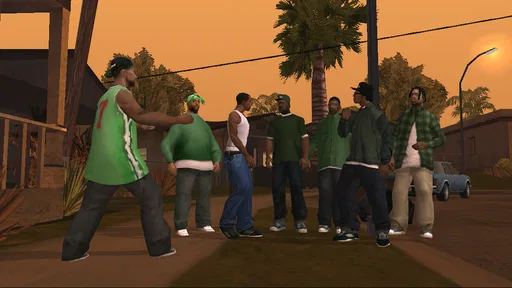
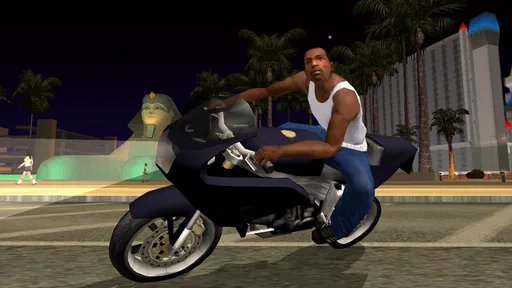
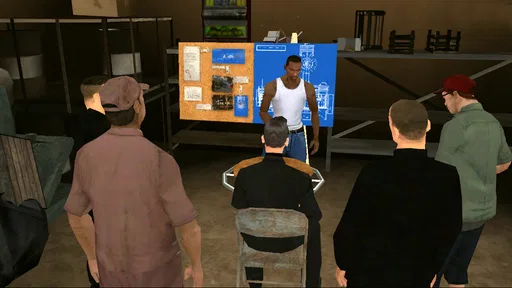
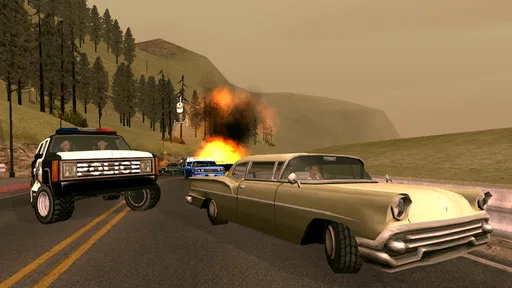
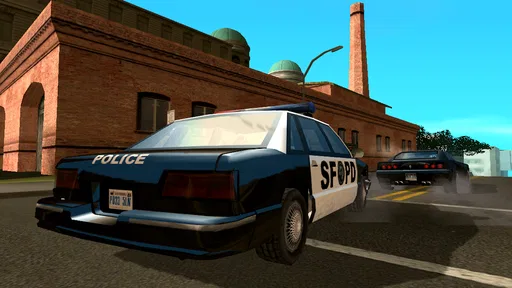
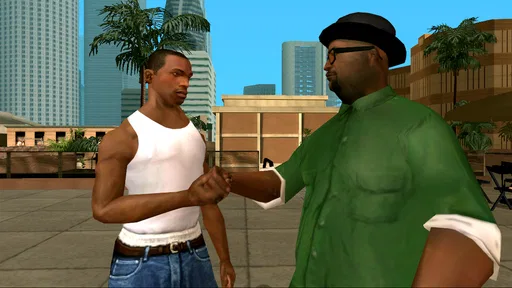
Our Review of Grand Theft Auto: San Andreas
 Analysis by Appyee
I spent time with Grand Theft Auto: San Andreas on mobile expecting a familiar open-world crime game, but the experience is more interesting than simply revisiting an old favorite. Rockstar Games has brought the full San Andreas adventure to a touchscreen, including its large map, story missions, driving, shooting, exploration, and side activities. It is still an ambitious action game rather than a small mobile adaptation built around short rounds.
The first thing to understand is the commitment involved. This is a premium game priced at $6.99, aimed at a Mature 17+ audience, and its world rewards longer sessions more than quick moments between tasks. I found it best when I had enough time to settle into a mission, travel across the map, and deal with whatever unexpected trouble appeared along the way. If you want a focused action game that begins and ends in a few minutes, this is probably the wrong fit. If you want a substantial single-player adventure on your phone or tablet, it remains a compelling option.
How I approached San Andreas on a touchscreen
I approached San Andreas on a touchscreen by treating comfort and control as part of the play experience, not as a quick setup chore. A useful next step is to notice which kinds of missions make touch input feel most demanding, since that can help you decide whether to adjust your habits, use a controller, or choose a different way to play.
A familiar open-world routine that still works
My basic routine was simple: continue the story, use the map to plan the next destination, and allow extra time for detours. San Andreas is at its best when I stop treating it like a checklist. A mission may send me across the city, but the journey itself often becomes part of the session. I might change vehicles, get into an unwanted chase, stop to explore a neighborhood, or arrive at the objective with fewer resources than expected.
That freedom is also why the game feels larger than many mobile action titles. It does not constantly push me toward one short activity. Instead, I decide whether to follow the next story marker, practice driving, experiment with weapons, or simply move around the world. The approach suits players who enjoy making their own rhythm, though it can feel less convenient if you prefer a tightly guided campaign.
The touchscreen controls are the main adjustment for returning players. Movement, camera control, driving, and combat all compete for space, so the first sessions can feel less natural than playing with physical buttons. I became more comfortable after treating the controls as a layout to learn rather than something that should immediately feel perfect. Keeping my thumbs relaxed helped more than trying to make fast, exaggerated movements.
What a normal session looks like
On a typical evening, I would begin by checking where the next mission was located and deciding whether to travel directly or use the trip to prepare. I learned not to rush into every objective. A quick check of my vehicle, route, and available equipment often prevented a frustrating restart. That small habit matters because a failed mission can waste more time on mobile when the controls are still demanding attention.
I also found that San Andreas works well in two different moods. In one, I played carefully and focused on completing story objectives. In the other, I treated the city as a sandbox and accepted the consequences of causing trouble. The second style is entertaining, but it can interrupt progress, so I preferred to save free-form chaos for after completing a mission or reaching a convenient stopping point.
Saving regularly is one of the most useful habits I developed. Open-world games create many opportunities to lose progress through a failed objective or an unexpected mistake. I made a point of saving after meaningful progress instead of assuming I would remember to do it later. That is especially practical on a phone, where a session may end suddenly because I need to switch tasks.
Why the mobile version suits some players better than others
The portable format is a real advantage when I want a large game without sitting at a desk. I can play during a quiet break, continue a campaign while traveling, or use a tablet for a more comfortable view. The game has enough variety to support repeated sessions, and the story gives those sessions a clear direction when free exploration starts to feel aimless.
However, the same portability exposes its weaknesses. A phone screen gives less room for camera control and action buttons than a controller or console setup. Long sessions can also become tiring because I am holding the device and relying on touch input for nearly everything. I would choose a controller or another version when precise aiming and comfortable extended play matter more than convenience.
Settings I checked before settling in
I recommend spending time in the settings before judging the controls. The most important question is not whether the default layout is usable; it is whether the interface fits the way you hold your device. I moved my hands naturally first, then considered which buttons were easiest to reach without covering the action. A layout that looks tidy can still be awkward if a thumb has to stretch during driving or combat.
Camera behavior deserves attention as well. I found that smoother, more deliberate camera movement helped during exploration, while combat required me to make small corrections rather than sweeping the view around. The goal is not to make the camera feel identical to a console controller. It is to reduce accidental movement so that my attention stays on the road, target, or mission objective.
Graphics settings are worth balancing against comfort. San Andreas is an older game, but its world is still busy, with traffic, pedestrians, lighting, and long stretches of scenery. I preferred a stable presentation over pushing every visual option as high as possible. On a device that feels warm or drains quickly, lowering a demanding setting can make a longer session more pleasant without changing the core experience.
Audio is another practical check. Dialogue, mission instructions, vehicle sounds, and radio music all contribute to the atmosphere, but they do not need identical volume levels. I adjusted them so that spoken instructions remained clear without making the rest of the soundtrack overpowering. Headphones can make the world more immersive, although they also make it easier to lose awareness of your surroundings in public.
Small control habits that made a large difference
I stopped trying to perform every action at maximum speed. On touch controls, a calm sequence is often more reliable than a frantic one. During driving, I focused on lining up turns early instead of correcting at the last second. During combat, I used the camera deliberately and gave myself a moment to understand the situation before moving aggressively. These habits sound basic, but they reduced avoidable failures.
I also learned to separate movement from camera work. When both thumbs are constantly making large adjustments, it is easy to lose orientation. I tried to keep movement steady while making short camera corrections, then returned my attention to positioning. This was especially useful in crowded areas, where a vehicle, pedestrian, or obstacle could change the situation quickly.
For missions involving travel, I treated the route as preparation time. I arrived with a better idea of the surrounding streets, likely escape directions, and nearby places where I could recover from a mistake. This is not a special shortcut or hidden mechanic; it is simply a repeatable way to make the open world work for me rather than against me.
Driving, combat, and the cost of improvisation
Driving is one of the strongest reasons to keep returning to the game. The city feels more connected when I learn its roads instead of relying on the map for every turn. I became faster by looking ahead, choosing wider routes when under pressure, and avoiding unnecessary collisions. A dramatic shortcut through traffic may save a few seconds, but it can also damage the vehicle or create a police chase that ruins the original plan.
Combat asks for more patience on a touchscreen. I tried to use cover, maintain distance when possible, and avoid entering a fight without considering where I could move next. The mobile interface can make close-range encounters feel messy, particularly when several threats appear at once. Good positioning matters more than trying to out-tap every opponent.
Improvisation remains part of the fun, but it has a cost. Stealing a different vehicle may solve an immediate problem while creating another one later. Starting trouble can turn a simple trip into a chase. I enjoyed those moments when I had time to deal with them, but I became more selective when working through story missions. Experienced play here is not about eliminating chaos; it is about choosing when chaos is worth the interruption.
Progress habits for players who want less frustration
I found it useful to alternate between story progress and free exploration. Completing missions gives the game direction, while exploration prevents the campaign from becoming a repetitive sequence of objectives. More importantly, the alternation gives me chances to become familiar with the map and controls before a demanding mission asks for both at once.
When a mission failed, I tried to identify the actual cause instead of repeating it immediately. Sometimes the problem was poor driving, sometimes a bad approach to combat, and sometimes simple impatience. Repeating the same plan without changing anything rarely helped. A small adjustment, such as choosing a different vehicle or approaching from another direction, often made the next attempt much easier.
I would also avoid beginning an important mission when I know I have only a minute or two. The game is not designed around every activity being disposable. A rushed attempt can make the controls feel worse than they are, and it encourages careless decisions. For short breaks, I preferred exploring nearby streets or stopping after a save rather than forcing campaign progress.
Where the mobile edition reaches its limits
The largest limitation is the touchscreen itself. Even after adjusting the layout, I sometimes missed the precision of a physical controller. Driving and camera control are manageable, but situations that demand quick aiming, rapid direction changes, or several simultaneous inputs can feel less dependable. Players who already dislike virtual controls should take that seriously before buying.
The age of the game is both a strength and a weakness. Its world and mission structure remain distinctive, but some interactions feel less polished than in newer open-world games. The design expects patience, experimentation, and occasional repetition. I would not recommend it to someone looking for modern animation, highly guided accessibility, or a streamlined interface built around contemporary mobile habits.
There is also a practical storage and performance consideration with a game of this scope. I made sure my device had room and closed unnecessary background activity before playing. That is not a gameplay feature, but it is a sensible preparation step for a large 3D title. The current version is 2.11.311, and the game supports operating systems from version 9 onward, so checking device compatibility before purchase is worthwhile.
The commercial model is straightforward at the point of purchase, but the store information also lists in-app purchases at $6.99 per item. I would make sure I understood the purchase screen and account settings before handing the device to a child, especially because the game carries a Mature 17+ rating. The subject matter, violence, language, and criminal themes are not appropriate for younger players.
Who should choose it over newer alternatives
I would recommend this version to someone who wants a substantial, offline-friendly-style single-player experience on a mobile device and values freedom more than cutting-edge presentation. It is particularly appealing if you enjoy story missions that leave room for wandering, driving that is part of the adventure, and a world where your mistakes can create memorable situations.
I would steer competitive players toward a different kind of action game. San Andreas is not about online matches, ranked performance, or short competitive rounds. I would also suggest another option for anyone who wants a modern open world with smoother touch controls and more immediate guidance. Newer games may be easier to pick up, even if they do not offer the same distinctive blend of story, exploration, and old-school sandbox design.
The audience response shows why the game still attracts attention: it holds a 4.5 average from around one million ratings, with more than five million installs. Those figures do not replace personal testing, but they do reflect how strongly the mobile release has connected with a large audience. Rockstar Games is also a meaningful part of the appeal for players who want a recognizable console-scale adventure rather than a simplified spin-off.
My verdict after building a repeatable play style
After adjusting the controls, checking the visual and audio balance, saving consistently, and learning not to rush every mission, I enjoyed the game far more than I did during my first sessions. The key is accepting that mobile San Andreas requires a little setup and a different rhythm. It rewards preparation, measured camera movement, and knowing when to follow the story versus when to let the city distract you.
The best way to play is to treat the touchscreen as a skill to learn, not a flaw to fight constantly. Once I adopted that attitude, the familiar world became easier to navigate and the rough edges felt more manageable. I still noticed moments where a controller would have been better, but those moments did not erase the appeal of carrying such a broad action adventure in my pocket.
For me, the $6.99 asking price makes sense if I expect to return repeatedly and have a compatible device with enough screen space for comfortable controls. It is less convincing for a player who wants instant sessions, modern presentation, or effortless precision. The Mature 17+ rating should also be treated as a real buying consideration rather than a label to ignore.
In the end, I see this release as a good choice for patient players who enjoy making their own stories inside a structured campaign. It is not the smoothest touchscreen action game I have played, but it remains unusually rich and memorable. If you are willing to customize the layout, plan your sessions, and accept occasional control friction, Grand Theft Auto: San Andreas still offers a rewarding mobile version of Rockstar Games’ open-world formula.
Verdict
Strengths of Grand Theft Auto: San Andreas
- Large open world with varied locations to explore.
- Deep customization for vehicles, clothing, hairstyles, and character stats.
- Memorable soundtrack featuring licensed songs across multiple radio stations.
- Many side activities, including gambling, races, gyms, and dating.
- Offline gameplay works well without requiring a constant internet connection.
Limitations of Grand Theft Auto: San Andreas
- Touchscreen controls can feel awkward during driving and shooting.
- Some missions have frustrating difficulty spikes and lengthy objectives.
- The game requires substantial storage space on many mobile devices.
- Older visuals and animations may look dated on modern smartphone screens.
- Battery consumption can be high during extended gameplay sessions.
Other Releases by Rockstar Games
View All
GTA: Liberty City Stories
Adventure4.0

GTA: Vice City - Definitive
Action3.8

Bully: Anniversary Edition
Action4.0

Grand Theft Auto: Vice City
Arcade3.3
Similar Picks in This Category
View All
Temple Run 2: Endless Escape
Imangi Studios4.1

PUBG MOBILE
Level Infinite4.3

Free Fire: 9th Anniversary
GARENA INTERNATIONAL I4.4

Talking Tom: Hero Dash Run
Outfit7 Limited4.3

slither.io
Lowtech Studios3.9

Sniper 3D:Gun Shooting Games
Wildlife Studios4.6
Frequently Asked Questions
What is Grand Theft Auto: San Andreas about?
Grand Theft Auto: San Andreas is an open-world action game set in the fictional state of San Andreas, inspired by California and Nevada. You play as Carl “CJ” Johnson, who returns to Los Santos after a family tragedy and becomes involved in gang conflicts, corruption, crime, and personal revenge. The game combines a large story campaign with driving, shooting, exploration, side activities, and character progression.
Does Grand Theft Auto: San Andreas work well on Android and iOS devices?
The mobile version is designed for modern Android and iOS devices, but performance can vary considerably depending on the phone or tablet. Newer devices generally provide smoother gameplay and shorter loading times, while older or entry-level hardware may experience reduced graphics quality, occasional frame-rate drops, or compatibility limitations. Before downloading, check the store listing for supported operating-system versions and available storage.
Does the mobile version include the complete original game?
Yes, the mobile release contains the main Grand Theft Auto: San Andreas campaign and its extensive open-world map. It includes the principal missions, characters, vehicles, weapons, activities, and locations from the original game, adapted for touchscreen controls. Some visual details and interface elements may differ from older console or PC editions, but the core story and gameplay experience remain substantially intact.
Are touchscreen controls comfortable, and can I use a controller?
The game provides customizable touchscreen controls, including adjustable button positions and several control options for driving and on-foot movement. They are usable after a short adjustment period, although aiming and driving may feel less precise than with physical controls. Compatible Bluetooth controllers can make missions, shooting, and vehicle handling more comfortable, provided your device and controller are properly supported.
Does Grand Theft Auto: San Andreas require an internet connection?
After the game has been downloaded and installed, the main single-player experience can generally be played without a permanent internet connection. An internet connection may still be needed for the initial download, account or store verification, updates, cloud-related features, or restoring purchases, depending on the platform and edition. Because the game contains mature content, it is also important to review the age rating before downloading.
Play our best games!


